The online shopper's guide to inspecting product photos
Online shopping lives and dies by product photos. You can’t feel the fabric, flip the jewelry, or tilt the frame toward the light. All you have is what the seller uploaded. That means inspecting those photos well is the single biggest thing you can do to avoid bad purchases.
Here’s how to get more out of every listing without drowning in open tabs.
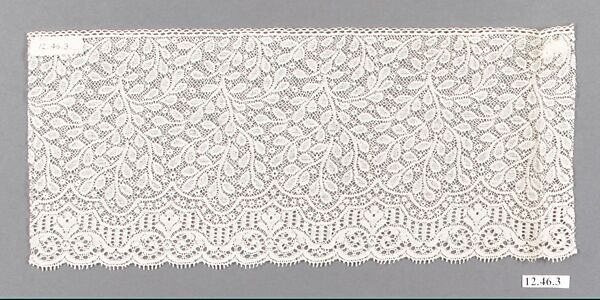
The problem with thumbnails
Most marketplaces compress thumbnails aggressively. A grid of forty Etsy listings is forty tiny JPEGs, each scaled to 200 pixels wide. At that size you can tell the color and the general shape, and almost nothing else.
The full-resolution photo is usually hiding just one click away, but clicking means:
- Opening the product page
- Waiting for the page to load, including ads, reviews, and recommendations
- Clicking the main photo to open the lightbox
- Closing everything and going back to the grid
For anyone doing serious shopping (comparing twenty similar rugs, scanning two hundred vintage listings, or double-checking stitching on a suit), that workflow is a tax on your afternoon.
What hover-to-zoom changes
With Ultra Zoom installed, hovering any product thumbnail pops up the full-resolution image in an overlay. Scroll the mouse wheel to zoom in further. Move the mouse, the overlay follows. Move off the thumbnail, it disappears.
The workflow becomes: look at the grid, hover anything that catches your eye, move on. You never leave the search results page.
What to look for when you zoom
Once you can actually see a product photo at full resolution, here’s what usually reveals itself:
Stitching and construction. On clothing, bags, and upholstery, tight, even stitches mean quality. Loose threads, uneven seam allowances, and puckered fabric are warning signs. These are almost always invisible at thumbnail size.
Resolution tricks. Some sellers upload a low-resolution photo and rely on the marketplace upscaling it. When you zoom in and see pixelated edges or a soft, smeary look everywhere, that’s a red flag. A legitimate professional photo stays crisp.
Condition details on used goods. Scuffs, scratches, tarnish, and wear patterns are often photographed but small. On vintage jewelry especially, hover-zoom will show whether the “slight wear” in the description is a hairline scratch or a gouge.
Color accuracy clues. Look at the background and neutral elements in the photo. If the white paper under the product has a pink or yellow cast, the product color is probably off too.
Authenticity markers. Logos, stamps, serial numbers, brand tags, anything tiny that a counterfeit often gets wrong. Zoom lets you read them without opening the full listing.

Scale cues. Rulers, coins, hands, and standard objects often appear in dimensional photos. Zooming lets you actually read the ruler markings instead of guessing.
Platform notes
Amazon. The grid thumbnails are small, but Amazon hosts high-resolution versions of almost every product photo. Hover-zoom pulls those up directly. Particularly useful for fashion and home goods where the thumbnail hides texture.
Etsy. Handmade and vintage listings reward close inspection. Hover-zoom across search results lets you triage forty listings in the time it used to take to open five.
eBay. Condition is everything on eBay, especially for collectibles and used electronics. The full-resolution photos usually tell a more complete story than the seller’s description. The dedicated eBay plugin is a Pro feature; free generic zoom still enlarges the largest photo the page provides.
Pinterest. Not a shopping site per se, but a lot of shopping research starts here. Hover-zoom lets you see what you’re actually pinning.
Fashion retailers (ASOS, Zara, Revolve, etc.). Product grids become much more informative. You can check drape, fit, and pattern without loading every product page.
A faster shopping workflow
Put it all together and a typical shopping session looks like this:
- Search the marketplace.
- Scan the grid, hovering anything interesting.
- Only open the listings that actually survive the visual check.
- On the listing page, hover the thumbnail strip to compare photos without clicking through each one.
You end up looking at more products and opening fewer tabs. For people who shop seriously (resellers, interior designers, buyers sourcing for small shops, anyone hunting vintage), the time saved adds up fast.
Grab Ultra Zoom for Chrome or Firefox and try it on your next shopping session. Gallery navigation and the EXIF viewer are free. Want more? Pro adds the eBay plugin, AI upscaling, one-key image save, and uncapped batch download for power shoppers.