Collectors and auction watchers: inspecting lot photos before you bid
If you collect anything (coins, stamps, trading cards, rare books, art, watches, militaria, vintage posters), you already know that photos make or break a purchase. Descriptions are subjective. Grades are sometimes generous. The photo, at full resolution, is usually the most honest thing in the listing.
The problem is that most auction and marketplace sites show those photos in compressed gallery thumbnails that hide exactly the details you’re trying to see. Hover-to-zoom is the fastest fix.
Why condition inspection needs real resolution
A coin graded “AU-55” can look identical to one graded “MS-62” until you see the luster on the high points. A trading card described as “near mint” can have a soft corner the seller didn’t mention. A vintage print can have foxing in the margins that’s completely invisible at thumbnail size.
At thumbnail resolution you’re looking at a 200-pixel image of a 1-inch object. A significant edge defect might be two or three pixels wide. You can’t make a condition judgment from that. You need to see the photo as the seller shot it (usually 2000 or more pixels) to spot what’s actually there.
Hover-to-zoom pulls that full-resolution image into an overlay the moment you hover. Scrolling the mouse wheel zooms in further. For a collector scanning a hundred lots, it changes the workflow entirely.
Category-by-category: what to look for
Coins
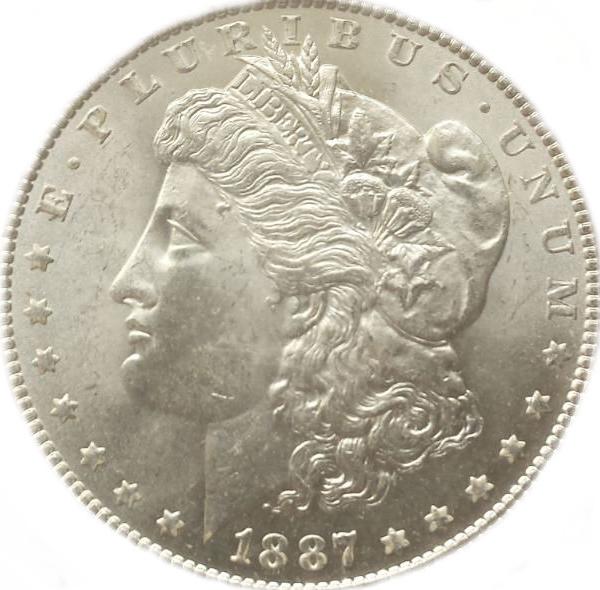
Luster on high points. Wear on the high points of a design (cheekbone, ribbon fold, eagle wing) is how circulated grades are assigned. At full zoom you can see whether the luster breaks are genuine or just reflection from the photographer’s lighting.
Rim damage. Dings, filing, and edge bumps are common wear points. They’re usually visible on the obverse photo at full zoom.
Cleaning. Hairline scratches from a cleaning job show up as fine parallel lines across the field. Thumbnails smooth these out; full zoom reveals them.
Toning patterns. Natural toning has a characteristic look that’s different from artificial re-toning. Zoom doesn’t make you an expert, but it lets you see what you’re evaluating.
Stamps
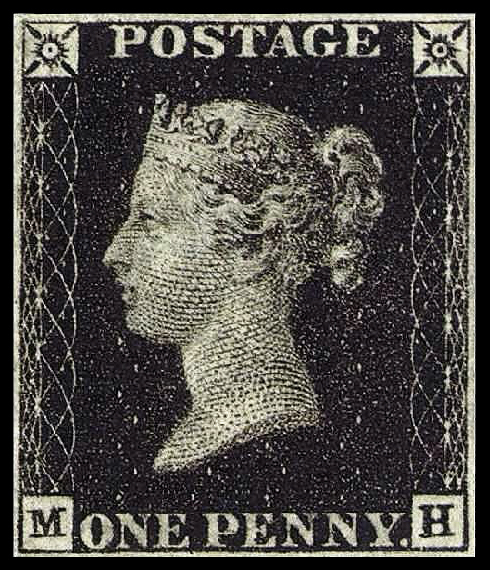
Perforations. Missing or torn perfs are a condition hit. Counting and checking them at full zoom takes a second.
Gum condition. Back photos, when sellers include them, often reveal whether gum is original, regummed, or hinged. Full resolution is how you tell.
Centering. Off-center prints are a well-known grading factor. Zoom makes it trivial to eyeball the margins.
Cancellation detail. Postmark clarity affects value on used stamps. Zoom lets you read the town, date, and type of cancel.
Trading cards
Corner wear. Soft corners, whitening, and dings are the most common condition issues. They’re nearly invisible at thumbnail size and obvious at full zoom.
Surface scratches and print lines. Holo cards especially. Zoom reveals print line runs, scratches, and whitening on the holo foil.
Centering. Print position relative to the border frame. Easy to eyeball at full resolution.
Authenticity tells. For vintage cards, zoom reveals print dot pattern, stock texture, and back registration. Reprints and counterfeits often get these wrong.
Rare books
Spine and hinge condition. Cracked hinges, loose bindings, and spine roll are often photographed but small. Full zoom tells you whether the binding is actually tight.
Foxing and tanning. The small brown spots that show up on old paper are nearly invisible in thumbnails and very clear at full zoom.
Inscription and bookplate detail. When a book is signed, inscribed, or has a previous owner’s bookplate, zoom lets you read the details that affect value.
Dust jacket wear. Edge chipping, price-clipping, and closed tears are usually shown in the photos but need full zoom to evaluate honestly.
Art and prints
Edition markings. Edition numbers, signatures, and blindstamps are often small in the frame. Zoom makes them readable.
Paper condition. Foxing, mat burn, tide lines, and light staining are the most common condition issues on works on paper. All of them reward full-zoom inspection.
Frame vs. art. When art is photographed in a frame, zoom lets you see whether the photo is showing you the art itself or mostly the mat.
Watches and jewelry
Hairlines and polish marks. On metal cases and bracelets, hairlines from previous polishing are usually only visible at high zoom.
Dial condition. Lume aging, dial speckle, and printing clarity are dial-quality tells. Zoom is how you evaluate them.
Hallmarks and stamps. Maker’s marks, metal purity stamps, and serial numbers are often photographed but small. Full zoom lets you read them.
Platform-by-platform
eBay. The biggest collectibles marketplace on the web. Sellers upload photos at varying quality, but the full-resolution version is usually there. Hover-zoom pulls it up over the search grid, which turns eBay from tab-chaos into a scannable inventory. The dedicated eBay plugin is part of Pro; on the free tier, generic hover-zoom shows the largest photo the page provides.
Heritage Auctions. Large, high-quality photography. Auctions are browseable by session, and hover-zoom works on the lot gallery thumbnails to let you triage sessions quickly.
Catawiki. European multi-category auction site. Lot thumbnails are small enough that zoom is essential for any real inspection.
Worthpoint. Useful for comp research. Hover-zoom on past-sale galleries lets you check whether the comp is actually comparable to the lot you’re considering.
Sotheby’s, Christie’s, Bonhams. Major auction houses increasingly offer good gallery browsing. Hover-zoom helps when scanning large multi-lot sales.
LiveAuctioneers and Invaluable. Aggregators for smaller auction houses, where photo quality varies enormously. Hover-zoom is doubly useful here because it lets you quickly filter out lots with unusable photography.
A practical bidding workflow
- Filter the auction first. Don’t hover everything. Filter by category, date, and price first.
- First-pass scan with hover-zoom. Go through the filtered list. Hover each lot’s thumbnail. Shortlist the ones where the photo shows what you want to see.
- Deeper inspection on each shortlist lot. Open the lot page. Use hover-zoom across the full photo set. Decide on a maximum bid.
- Keep notes per lot. At the volume most collectors bid, you’ll forget which issues each lot had. Even a one-line note beats going back and re-zooming everything on auction day.
Why bidders care about extension privacy
If you’re bidding seriously (especially on higher-value lots) your research activity is competitive information. An extension quietly logging which lots you’ve inspected could leak signal about your bidding intentions if that data ever got sold, breached, or subpoenaed.
Ultra Zoom is built so that data doesn’t exist. No analytics, no telemetry, no server receiving your browsing history. The full privacy architecture is here if you want the technical details.
Grab Ultra Zoom for Chrome or Firefox before your next preview session. The EXIF viewer and gallery navigation are free. Bidding seriously? Pro adds the eBay plugin, AI upscaling, one-key image save, and batch download without the free tier’s five-image cap and watermark.