Ultra Zoom Help
Everything you need to get the most out of Ultra Zoom, the hover-to-zoom extension for power browsers.

Getting Started
Ultra Zoom adds instant hover-to-zoom to images on any website, with dedicated plugins for 52 image-heavy sites. Here is the whole thing in 20 seconds, then the steps:
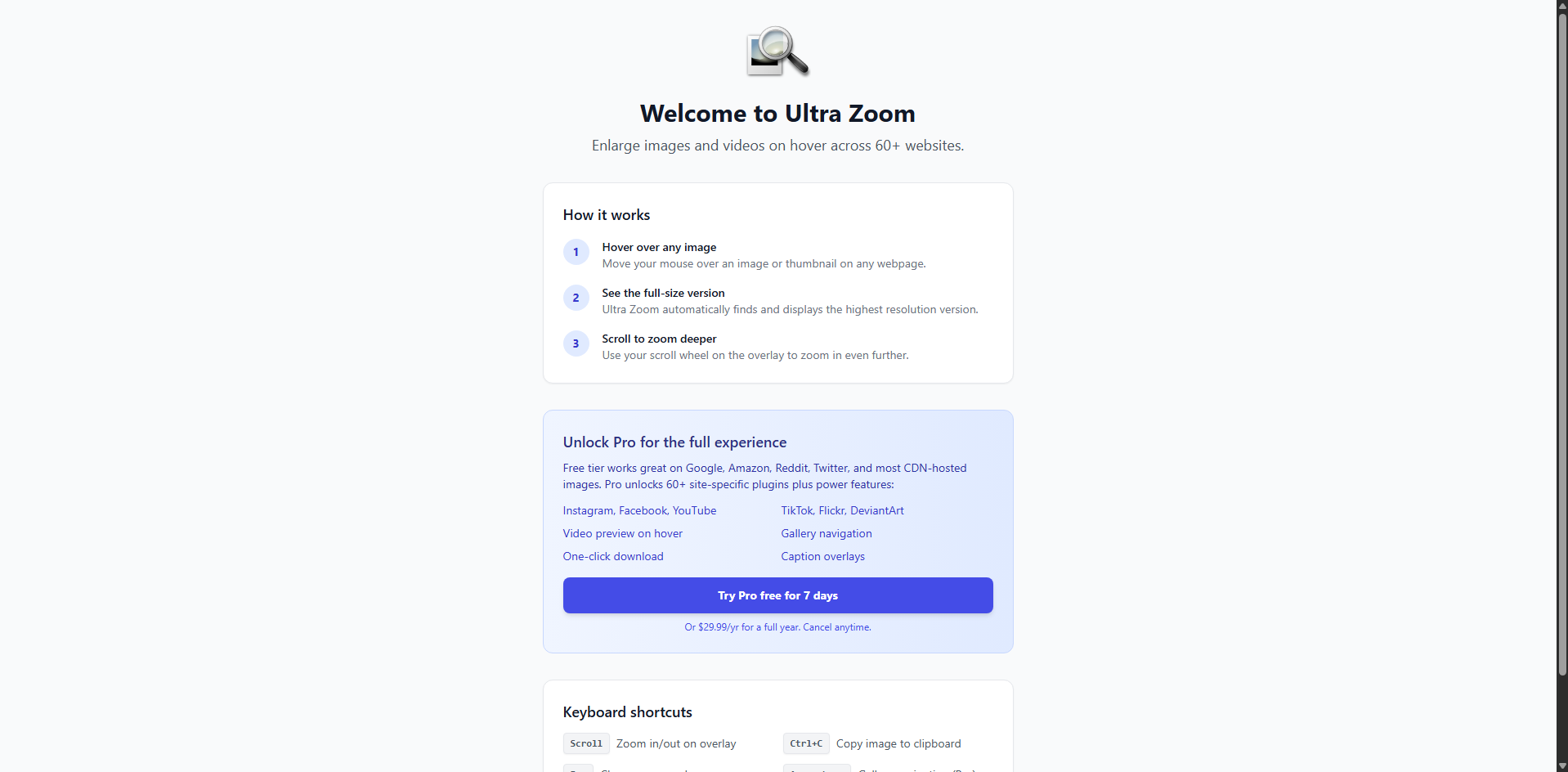
- 1Install the extension
Add Ultra Zoom from the Chrome Web Store or Firefox Add-ons.
- 2Visit any supported site
Go to Google Images, Amazon, Reddit, Twitter/X, Instagram, YouTube, or any of the 52 sites with a dedicated plugin.
- 3Hover over an image
Move your mouse over any image thumbnail. The full-size version appears instantly in an overlay.
- 4Dismiss the overlay
Move your mouse away or press
Escto close the zoomed view.
Keyboard Shortcuts
Ultra Zoom is built for power users. These shortcuts work while an image overlay is active:
| Shortcut | Action |
|---|---|
| Esc | Close the current zoom overlay |
| Scroll Up / Down | Zoom in or out on the displayed image |
| ← / → | Navigate to the previous or next image in a gallery |
| ? | Open the keyboard shortcut help overlay |
| Z | Toggle theater mode (full-window view) |
| G T N Y Q J | Reverse image search the hovered image (Google, TinEye, Yandex, and more) |
| Ctrl + C | Copy current image at the adjusted size |
| M | Mute or unmute previewed video Pro |
| ↑ / ↓ | Adjust previewed video volume Pro |
| , / . | Slow down / speed up previewed video Pro |
Supported Sites
Ultra Zoom ships with optimized plugins for these websites, with more added regularly. Sites marked Pro need a Pro licence; the rest are free:
- Google Images
- Amazon
- Twitter / X
- Instagram Pro
- Facebook Pro
- YouTube Pro
- Tumblr
- DeviantArt Pro
- Flickr Pro
- Imgur
- ArtStation
- Pixiv Pro
- eBay Pro
- Steam Pro
- Wikipedia
- and 35 more…
See the full categorized list of supported sites →
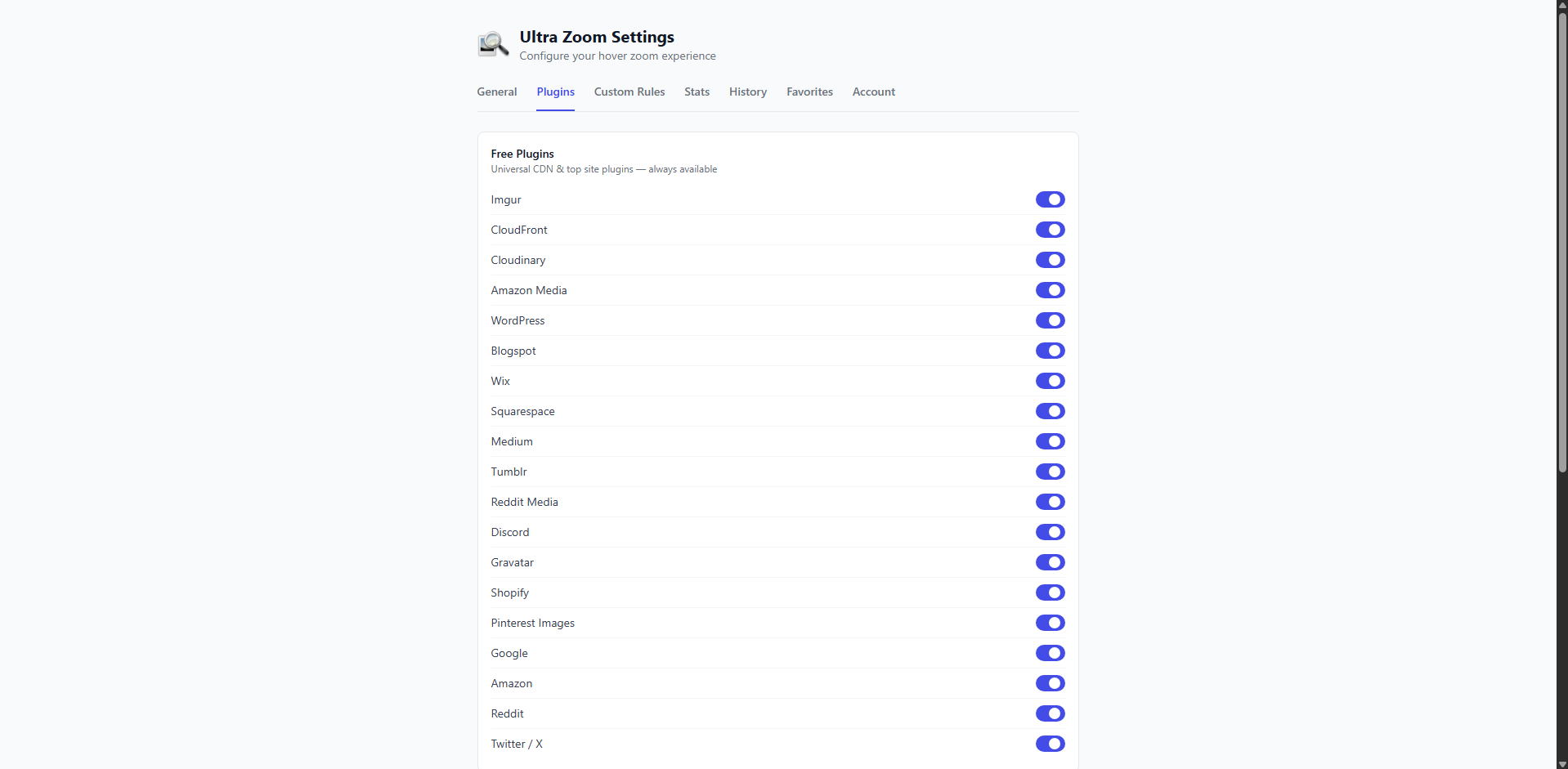
Sites without a dedicated plugin still get generic hover-zoom, on by default, which shows the largest image the page provides.
Per-Site Control
You decide where Ultra Zoom is active:
- Master toggle: click the Ultra Zoom toolbar icon and flip Enable Ultra Zoom to turn the extension on or off everywhere.
- Per-site toggle: while on any website, click the toolbar icon and switch on Exclude this site to turn Ultra Zoom off for that domain only.
- Every other site: there is nothing to enable. Generic hover-zoom works on sites without a dedicated plugin out of the box.
Free Features
Every install ships with 34 site plugins and these features at no cost:
Theater Mode
Press Z while hovering to expand the image into a full-window view, ideal for reading small text or inspecting detail.
Reverse Image Search
Press G, T, N, Y, Q, or J on any zoomed image to look it up on Google, TinEye, Yandex, and other engines in a new tab.
Basic Gallery Navigation
Tap ← / → while a zoom overlay is open to step through the previous and next images in the gallery without leaving the page.
Hover History
Your last 50 hovered images are saved locally so you can re-open one you scrolled past — without sending anything to a server.
Image Copy
Press Ctrl + C while an image is zoomed to copy it at the adjusted size directly to your clipboard, with no watermark.
Video Preview
Hover a video on Reddit or Imgur to preview it in place, without opening the post.
EXIF & Colour Palette
View a photo’s camera metadata and pull its colour palette from the overlay. Exporting either is Pro.
34 Site Plugins
Dedicated plugins for Google Images, Amazon, Reddit, Pinterest, Imgur, ArtStation and more resolve full-resolution sources where available. 18 more, including Instagram and eBay, come with Pro.
Pro Features
Upgrade to Pro to unlock additional capabilities:
AI Upscaling
Reconstruct detail in low-resolution photos as you hover. Real-ESRGAN (general x4v3) runs on-device, with Lanczos resampling as an automatic fallback. No image data leaves your browser.
Video Preview & Playback Controls
Preview videos on YouTube, Twitch, TikTok and the other Pro sites, then control any preview: mute with M, change speed with ,/., and adjust volume with ↑/↓ — without opening the source page.
Advanced Gallery
Run a slideshow, save single images with S, and batch-download every image in the active gallery in a single keystroke, without the free tier’s five-image cap and watermark.
Hover History Power-ups
Bump history capacity to 1,000 entries with full-text search and JSON export so you can find any image you previewed this month.
Pro Site Plugins
18 more dedicated plugins, including Instagram, eBay, Flickr, YouTube, and the Zillow, Redfin and Realtor.com listing overlays.
Custom URL Rules
Write your own URL rewrite rules to teach Ultra Zoom about a private CDN, internal tool, or any site we don’t cover yet.
Settings Sync
Your toggles, rules, and history sync across up to 3 devices, keyed to the email on your licence. There is no account to create.
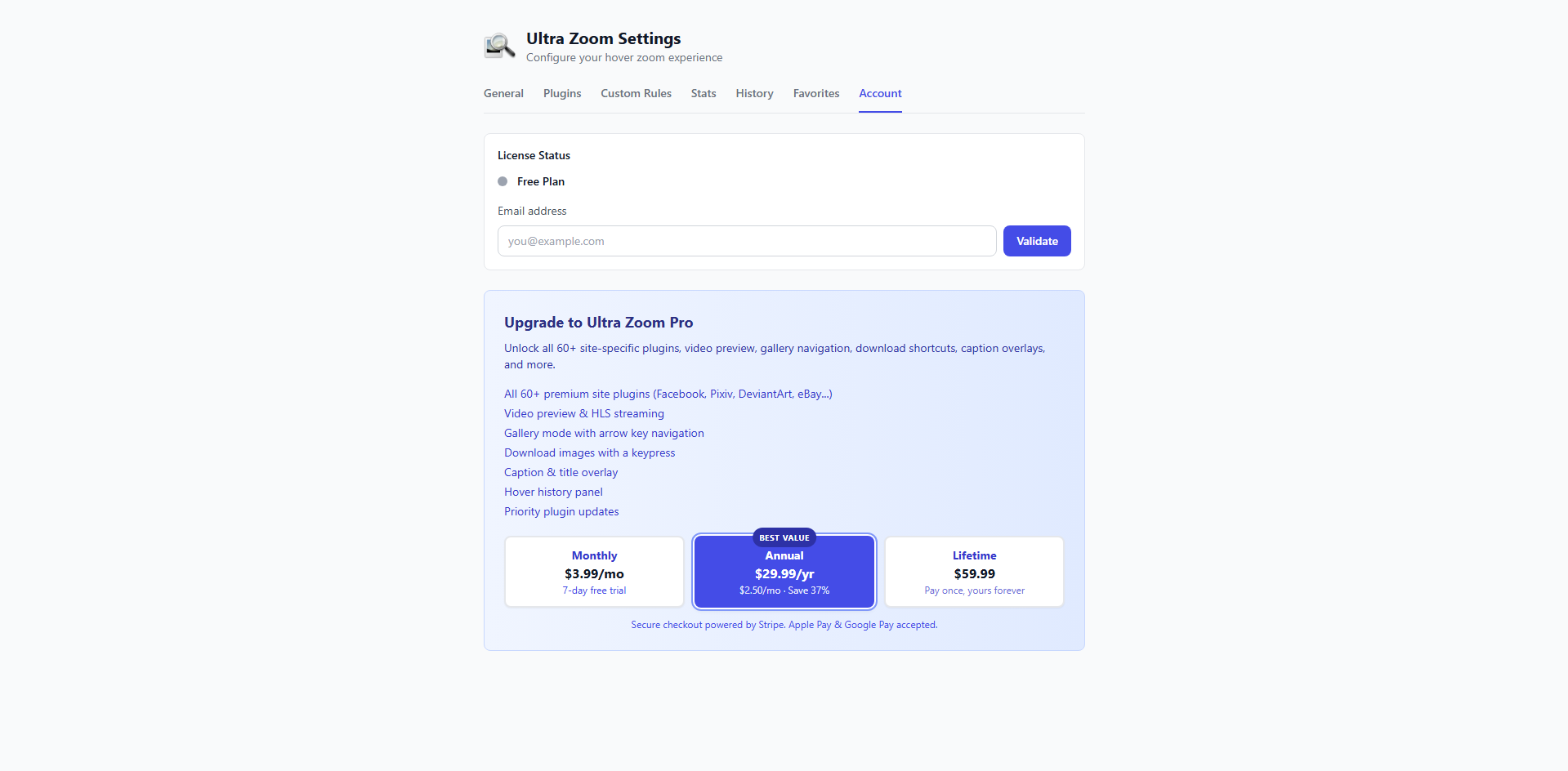
Pro plans start with a 7-day free trial. See current plans and pricing — managed through Stripe, supports up to 3 devices.
Troubleshooting
Ultra Zoom isn't working on a site I expect it to support
Click the toolbar icon and make sure Enable Ultra Zoom is on and Exclude this site is off. Sites without a dedicated plugin use generic hover-zoom, which shows the largest image the page provides.
The zoom overlay flickers or disappears immediately
This can happen on sites with aggressive hover styles. Try moving your mouse slowly and steadily over the image rather than quickly. If the issue persists on a specific site, let us know and we'll investigate.
The extension toolbar icon is missing
Click the puzzle-piece icon in Chrome or the extensions menu in Firefox to find Ultra Zoom and pin it to your toolbar.
Ultra Zoom conflicts with another extension
Try disabling other extensions one at a time to identify the conflict. Common conflicts occur with other image-handling or zoom extensions. Report the conflict so we can investigate a fix.
My Pro license isn't being recognized
There are no accounts: Pro is tied to the email you paid with. Make sure the email entered under Activate license in the extension's settings matches the one used at checkout. If the problem continues, contact us at boden@lostrabbitdigital.com with your order details.
FAQ
Is Ultra Zoom free?
Yes. Core hover-to-zoom is completely free on every site, with 34 built-in site plugins, along with theater mode, reverse image search, basic gallery navigation, image copy, video preview on Reddit and Imgur, and hover history. Pro features (AI upscaling, video playback controls, advanced gallery, one-key save, custom URL rules) start with a 7-day free trial — see current plans.
Does Ultra Zoom collect my data?
No. Ultra Zoom does not collect or transmit your browsing history, the pages you visit, or the images you view. It operates entirely within your browser; the only exception is a Pro licence check, which sends the email you entered and a random device ID. See our Privacy Policy for full details.
Which browsers are supported?
Ultra Zoom works on Chrome, Edge, Brave, and other Chromium-based browsers via the Chrome Web Store, and on Firefox via Firefox Add-ons.
How do I request support for a new website?
Send us the site URL at boden@lostrabbitdigital.com and we'll update the extension to support it.
Can I use Ultra Zoom on sites not in the supported list?
Yes. Generic hover-to-zoom works on any website by default, with nothing to enable. It shows the largest image the page provides, so results vary with how the site structures its images.
Ready to try it? Install Ultra Zoom free for Chrome or Firefox.
Contacts
Have a question or need help? Use our contact form or email us directly at boden@lostrabbitdigital.com.